Habit Tracking
Routines that find their own time.
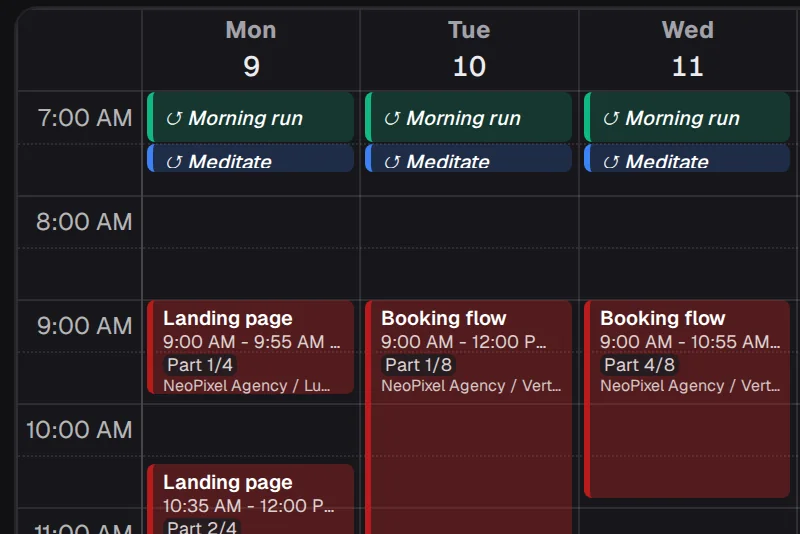
Repeat it daily, weekly or monthly. Auto-schedule books each habit up to 14 days ahead, before tasks, and the streak counts the days.
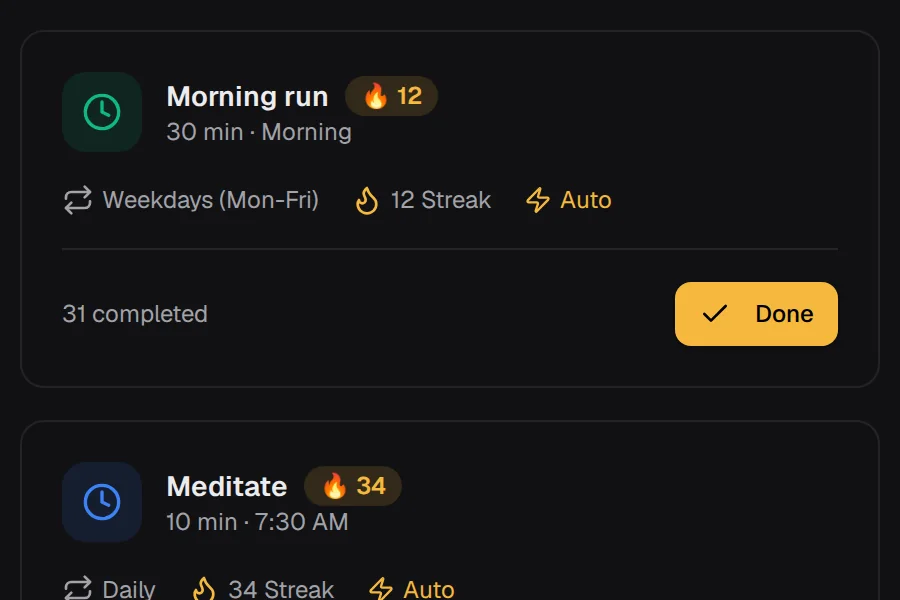
Streaks that count
Mark it done once a day and watch the number grow.
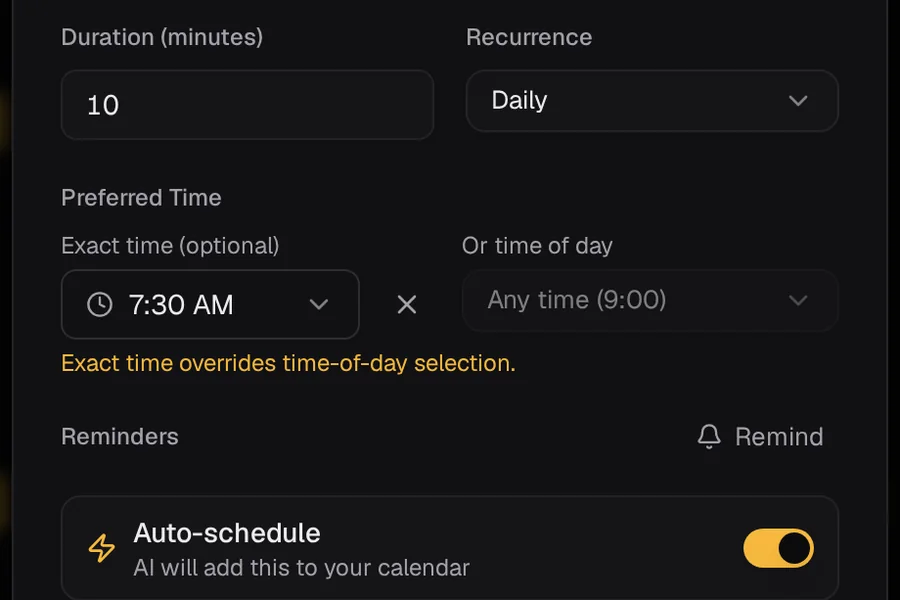
Its own time
A preferred time of day or an exact time, and a duration.
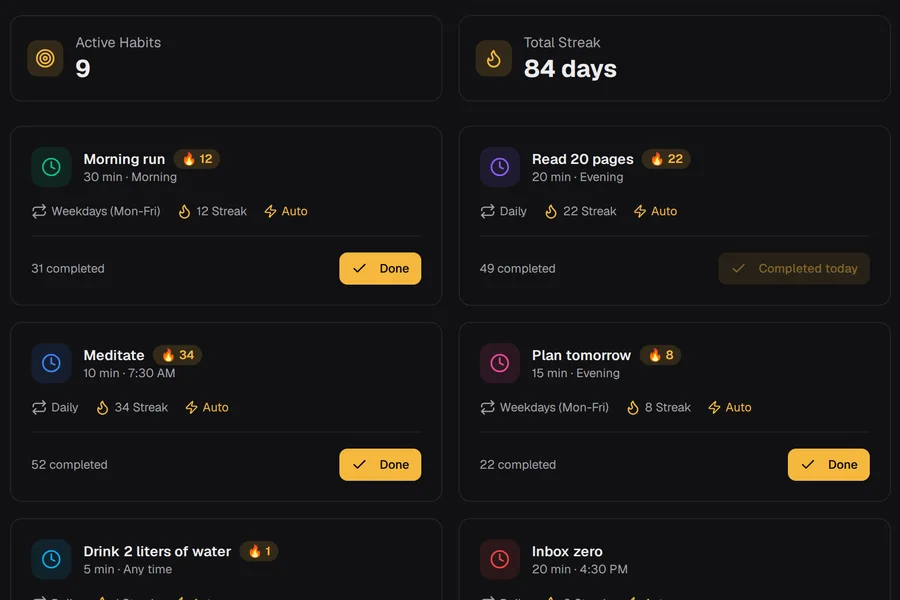
Your whole picture
How many habits, the total streak and what you completed.
With a bee on it
Or hand it to a bee.
Every bot can work here too, with the same tools you have. Say what you need and go do something else.
Quick answer
What is Habit Tracking?
Create a habit with a duration, a repeat (daily, weekdays, weekly, every two weeks or monthly) and a preferred time of day or an exact time. With auto-schedule on, the habit is booked up to 14 days ahead, before tasks are placed. Mark it done on the days you do it and its streak goes up.
A habit tracker helps you repeat something until it sticks. BusyBee.Day puts habits on the same calendar as your tasks, so a routine gets its own time instead of competing with the to-do list.
Everything included
Capabilities at a glance
- Repeat daily, on weekdays, weekly, every two weeks or monthly
- A preferred time of day or an exact time
- A duration for each habit
- Booked by auto-schedule up to 14 days ahead, before tasks
- Shown in the Calendar view and in today's schedule on Home
- Mark done once a day; the streak counts the days
- Colors to tell habits apart
How it works
How to build a habit in BusyBee.Day
- 1
Add a habit
Open Habits from the More menu and add one, for example "Morning walk".
- 2
Choose how often
Daily, Weekdays, Weekly, Biweekly or Monthly, and how long it takes.
- 3
Choose when
Morning, afternoon, evening, or an exact time such as 07:30.
- 4
Let auto-schedule book it
Keep auto-schedule on for the habit and press Auto-schedule in Tasks > Calendar. The habit is booked before tasks.
- 5
Mark it done
Tick it off on the Habits page on the days you do it; the streak goes up.
Use cases
Who uses Habit Tracking?
Standup prep
Weekdays, 15 minutes, at 09:15.
Exercise
Daily, 45 minutes, in the evening.
Weekly review
Weekly, 45 minutes, in the afternoon.
Language practice
Daily, 20 minutes, in the morning.
Comparison
BusyBee.Day Habits vs Streaks vs Habitica vs Notion
| Capability | BusyBee.Day | Streaks (Apple) | Habitica | Notion habit template |
|---|---|---|---|---|
| Repeat options | Daily, weekdays, weekly, every 2 weeks, monthly | Daily, chosen days, times per week/month/year, every few days | Daily, weekly, monthly, yearly | Daily, weekly, monthly, yearly (repeating templates) |
| Booked on your calendar | Yes (auto-schedule) | No | No | Manual: dated entries can show in Notion Calendar |
| Streak count | Yes | Yes | Yes | Depends on the template |
| Platforms | Web, also in phone browsers | iPhone, iPad, Mac, Apple Watch, Vision Pro | Web/Mobile | Web, desktop and mobile |
| Built into a task app | Yes | No | Yes (gamified to-do list) | Manual setup |
Comparison reflects publicly listed features and pricing as of November 5, 2026. Subject to change.
FAQ
Frequently asked questions
Written by the BusyBee.Day product team. Productivity software product team at BusyBee.Day. Last reviewed November 5, 2026.
What repeat options do habits have?
Daily, Weekdays (Monday to Friday), Weekly, Biweekly (every two weeks) and Monthly.
Does BusyBee.Day track habit streaks?
Yes. Each habit has a streak that goes up by one for each day you mark it done.
Can I auto-schedule habits onto my calendar?
Yes. With auto-schedule on, the habit is booked up to 14 days ahead at its preferred time of day when you press Auto-schedule, before any task is placed.
How many habits can I have?
Three on the Free plan. Basic, Pro, Max and Team have no limit.
How is BusyBee.Day different from Habitica?
Habitica turns habits into a game. BusyBee.Day books habits on your calendar, next to your tasks and projects.