Productivity Analytics
Your week, in plain numbers.
Tasks finished, habits kept and calendar time by kind. A weekly digest tells you what got done, what slipped and what comes next.
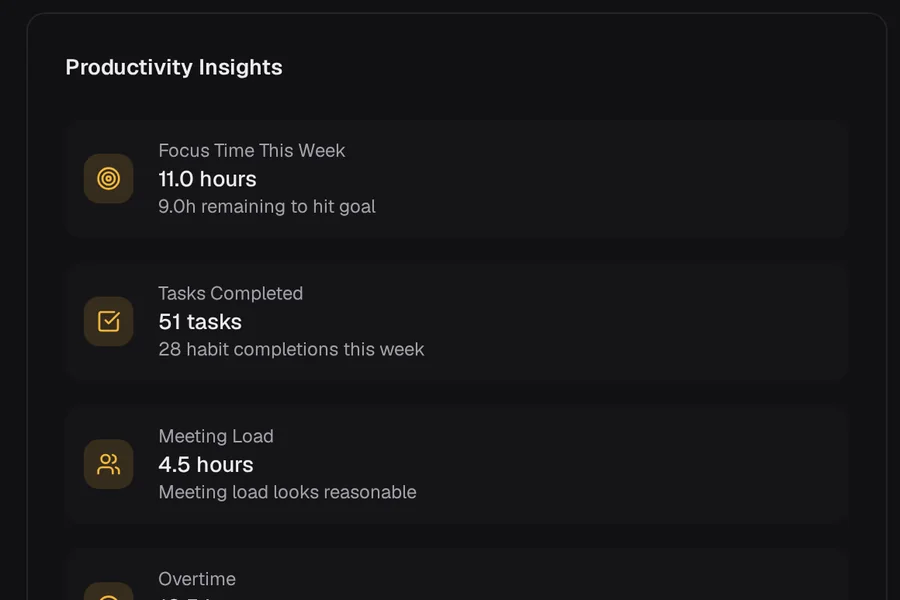
What got done
Tasks completed and habit check-ins this week.
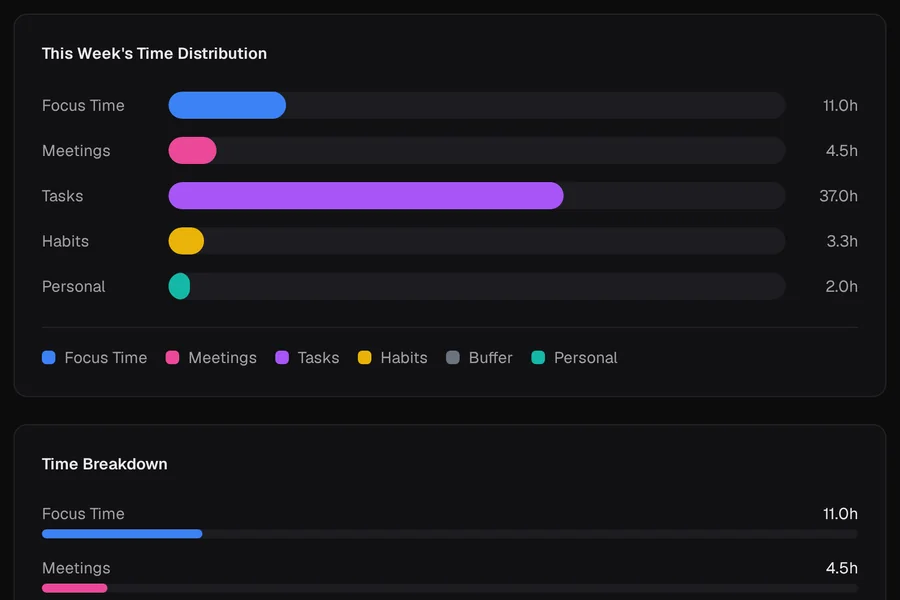
Where the time went
This week's calendar time by kind.
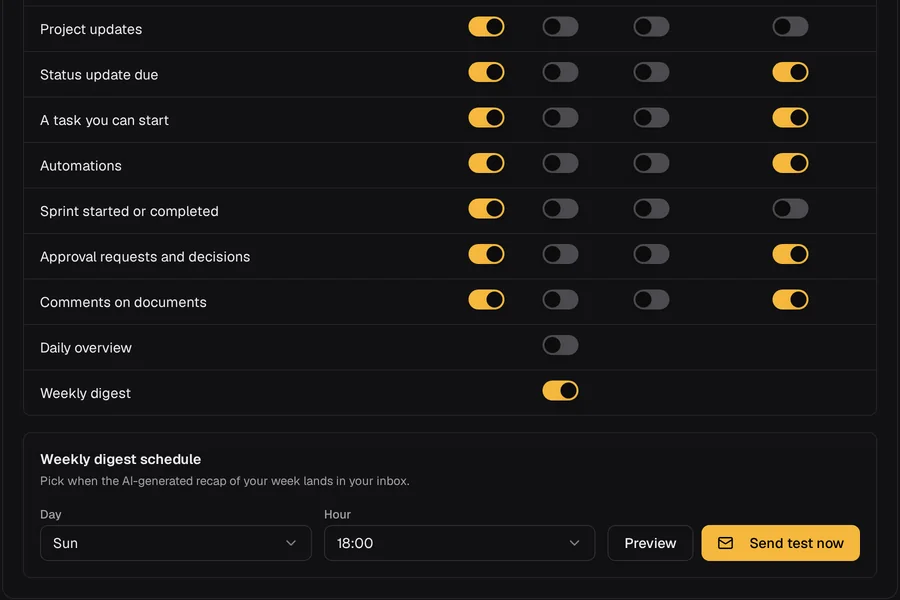
A digest by email
On the day and hour you choose.
With a bee on it
Or hand it to a bee.
Every bot can work here too, with the same tools you have. Say what you need and go do something else.
Quick answer
What is Productivity Analytics?
Analytics counts the tasks you completed this week and your habit check-ins, and splits this week's calendar time into focus time, meetings, tasks, habits, buffers and personal time. Open it from Search (Ctrl/Cmd+/) or the More menu on a phone. The weekly digest email adds a written recap of your week.
Productivity analytics shows where time went and what got finished, so you can adjust the next week. BusyBee.Day keeps it light: a weekly page and an optional weekly email.
Everything included
Capabilities at a glance
- Tasks completed this week
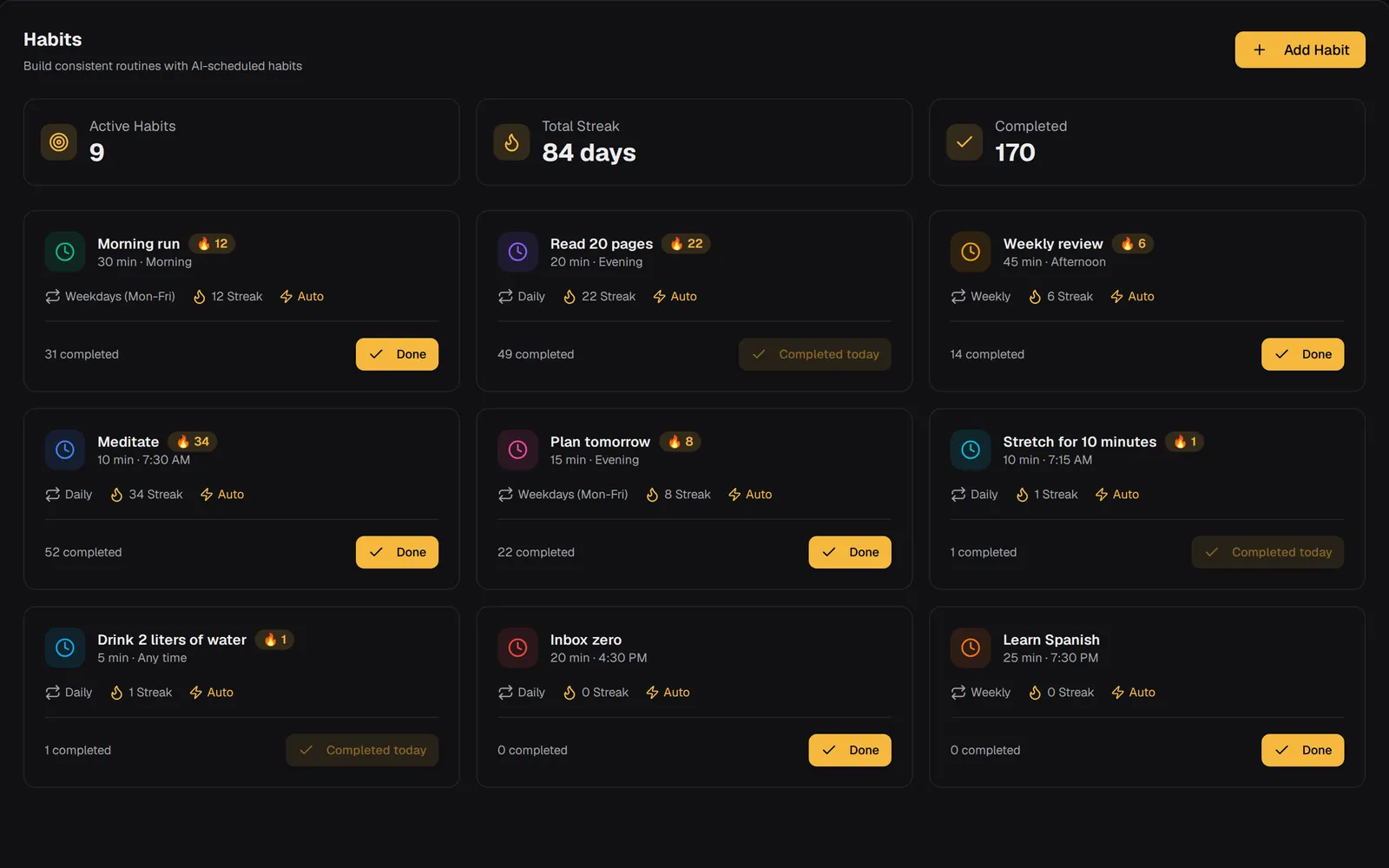
- Habit check-ins
- This week's calendar time by kind
- Weekly digest email on the day and hour you choose
- The digest covers what got done, what slipped and next week's priorities
- Bots can read the same numbers when you ask about your week
How it works
How to review your week in BusyBee.Day
- 1
Open Analytics
Press Ctrl/Cmd+/ and choose Analytics, or open it from the More menu on a phone.
- 2
Read the week
See the tasks you completed, your habit check-ins and the week's calendar time.
- 3
Turn on the weekly digest
In Settings > Notifications, turn on the weekly digest and pick its day and hour.
- 4
Ask a bot
Ask BusyBee "How did my week go?" - bots can read the same analytics.
Use cases
Who uses Productivity Analytics?
Weekly review
Read the digest on Sunday evening and move the tasks that slipped into next week.
Habit check
See whether the habits you planned were checked off.
Founders
Ask BusyBee for a summary of what got finished this week before the Monday meeting.
Comparison
BusyBee.Day Analytics vs Toggl vs RescueTime vs Reclaim
| Capability | BusyBee.Day | Toggl | RescueTime | Reclaim.ai |
|---|---|---|---|---|
| Habit tracking | Yes | No | No | Stats show time spent on Habits |
| Tracks time in other apps | No | Manual or auto (desktop app) | Auto (desktop app) | No |
| Built into a task app | Yes | Yes (has tasks and boards) | No (standalone app) | No (calendar) |
Comparison reflects publicly listed features and pricing as of November 5, 2026. Subject to change.
FAQ
Frequently asked questions
Written by the BusyBee.Day product team. Productivity software product team at BusyBee.Day. Last reviewed November 5, 2026.
What does BusyBee.Day Analytics show?
The current week: tasks completed, habit check-ins, and calendar time split into focus time, meetings, tasks, habits, buffers and personal time.
Does BusyBee.Day track time spent in other apps?
No. It counts only what happens in BusyBee.Day: planned tasks, meetings, focus time, habits and the time you track on tasks.
What is the weekly digest?
An email with a recap of your week - what got done, what slipped, which habits held - and suggested priorities for the next one. It is written by AI from your data, sent on the day and hour you pick in Settings > Notifications, and uses a fraction of a credit.
Can I export my data?
Yes. Settings > Data & Privacy downloads all your data as a ZIP file with CSV files, or as a PDF summary.